
Braandly is brand management and workflow software that keeps founders, creators, teams, and agencies consistent as they move fast. It is not a design tool. It is the operational layer where your brand assets, guidelines, and active work live in one place, a single source of truth your whole team can actually use.
Most brands do not fail at the creative stage. They fail at execution. The logo gets used in the wrong version. The guidelines live in a PDF nobody opens. The new hire guesses at the brand voice. Braandly is built to fix that by giving your brand a structured system instead of scattered files and shifting standards.
How Braandly is organised
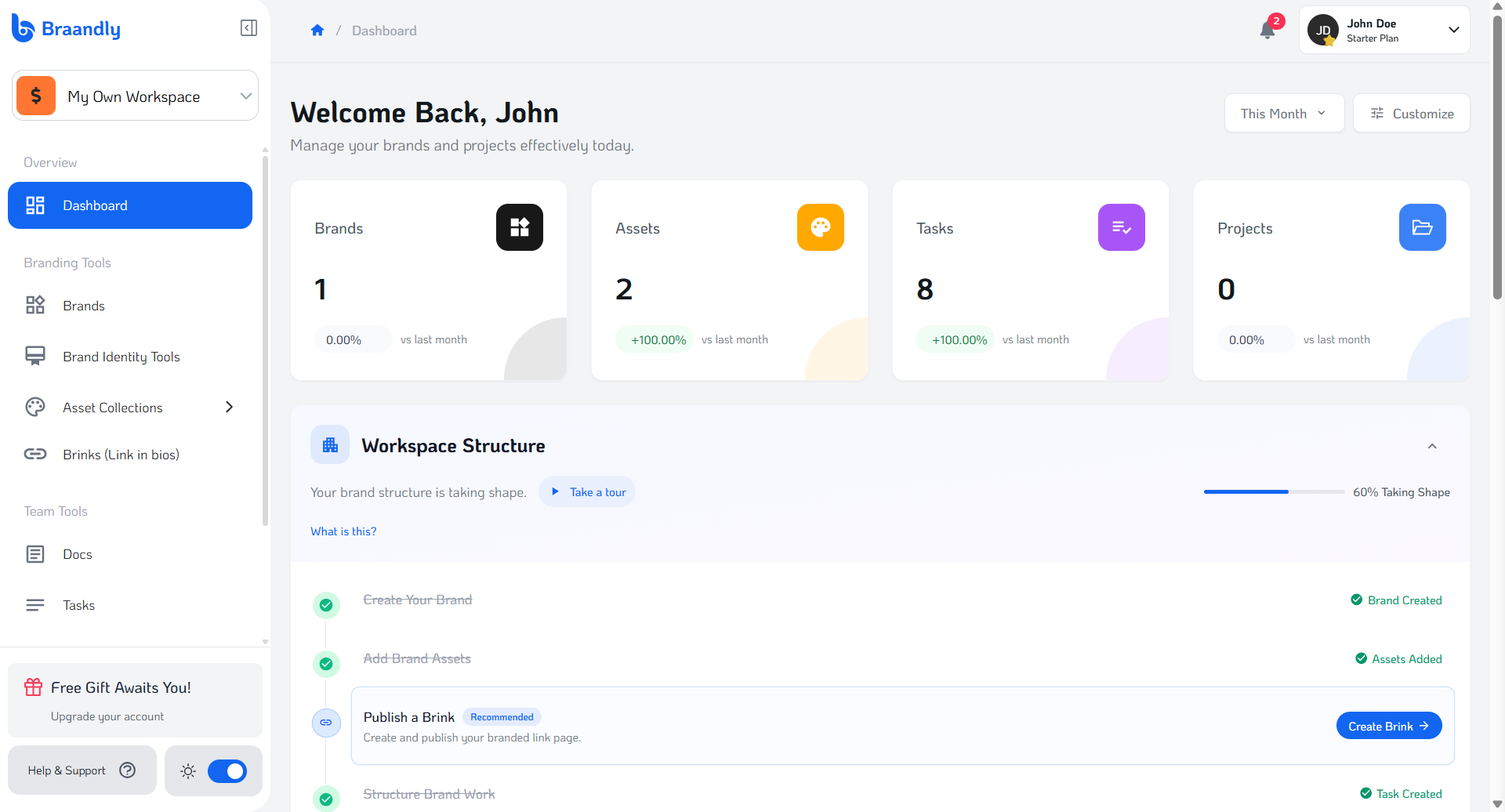
The platform is built around the tools and areas you need to manage your brand day to day.
Workspaces and Brands
- Workspaces: The central hub where your team's brands, assets, and active work live. Each workspace has its own organised access for your team.
- Brands: Individual brand profiles managed inside your workspace. Each brand has its own assets, identity, guidelines, and tools.
Brand Identity Tools
- Brand Identity Tools: Define and maintain your visual identity inside Braandly. Colours, typography, gradients, and logo usage rules all live here so your team always works from the correct standards.
- Brand Guidelines: Document the rules that govern your brand. Typography, logo usage, colour standards, and brand voice, all accessible in one place so nothing gets misinterpreted.
- Branding Tips and Guides: Built-in tips and curated guides to help you build and maintain a stronger brand over time.
Assets and Documentation
- Asset Collections: Organised folders for your logos, fonts, colour palettes, gradients, and images, grouped so the right file is always findable.
- Docs: A built-in editor for brand guidelines, campaign notes, strategy documents, and internal knowledge. Write it once, keep it accessible to everyone.
Management and Workflow
- Tasks: Create, assign, and track brand-related tasks with deadlines, priorities, and status updates.
- Projects: Organise brand work into projects with tasks, timelines, and team assignments to track progress across larger initiatives.
- Braandly AI: In-app AI that assists with brand generation, guideline drafting, brand chat support, and branding recommendations.
Brand Trust and Approvals
- Brand Approval Workflows: Submit brands for review and approval to maintain quality standards across your organisation.
- Brand Verification: Verify brand ownership and authenticity to build trust with your audience and partners.
Growth and Integration
- Brinks: Customisable link-in-bio pages to showcase your brand publicly and share approved resources with partners and clients.
- Analytics and Insights: Performance data for your Brinks and tracked brand activity.
- Integrations: Connect your workflow to other platforms. Braandly includes a Figma plugin, a Chrome extension, and a Firefox add-on so your brand assets are accessible wherever you work.
Choosing a plan
Braandly offers four plan tiers (Starter, Plus, Pro, and Ultimate) scaled to your team's size and how much you need to manage. Workspace limits and feature access vary by plan.
See Braandly plans and pricing for a full breakdown of what each tier includes.
Next steps
Ready to set up your brand infrastructure? See Create your first workspace to get started.